Write. Assemble. Debug. Disassemble.
Two small, portable programs instead of a tool chain: Asmonite to write, assemble and debug assembly (x86, x64, ARM32/Thumb-2 and ARM64/AArch64), Dismonite to examine and debug executables – Windows (PE for x86, x64, ARM32 and ARM64/AArch64), DOS (MZ) and ARM Linux (ELF). With built-in instruction info on F1. Unpack, start, done.
Version 0.7.6 (test version) · Windows 10/11 · 2.1 MB · no installation · free · no tracking
Everything you need to write, assemble, debug and disassemble assembly programs.
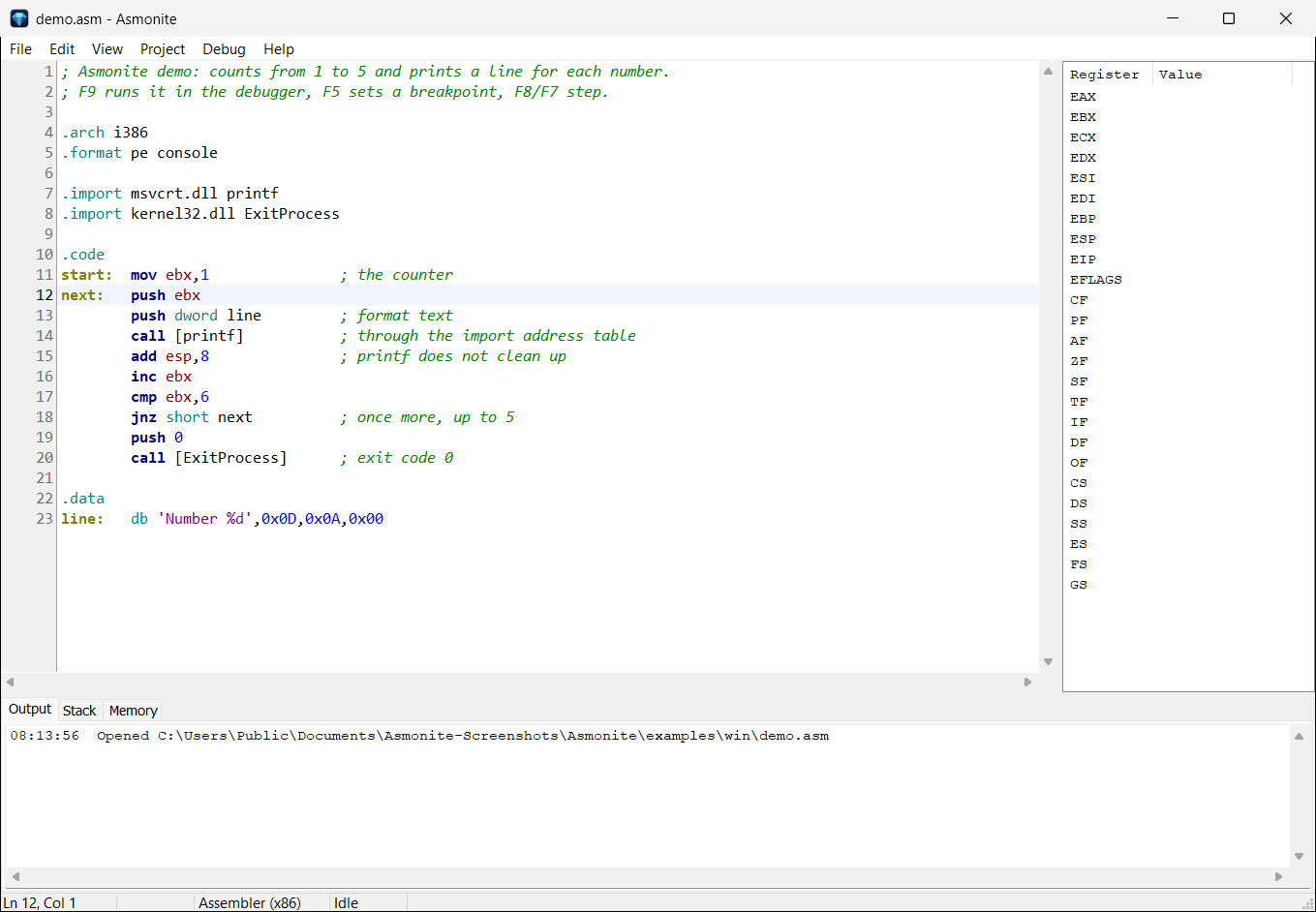
Syntax highlighting for x86 assembly, C and Pascal. Ctrl+F9 builds the EXE next to the source file; errors appear in the output window.
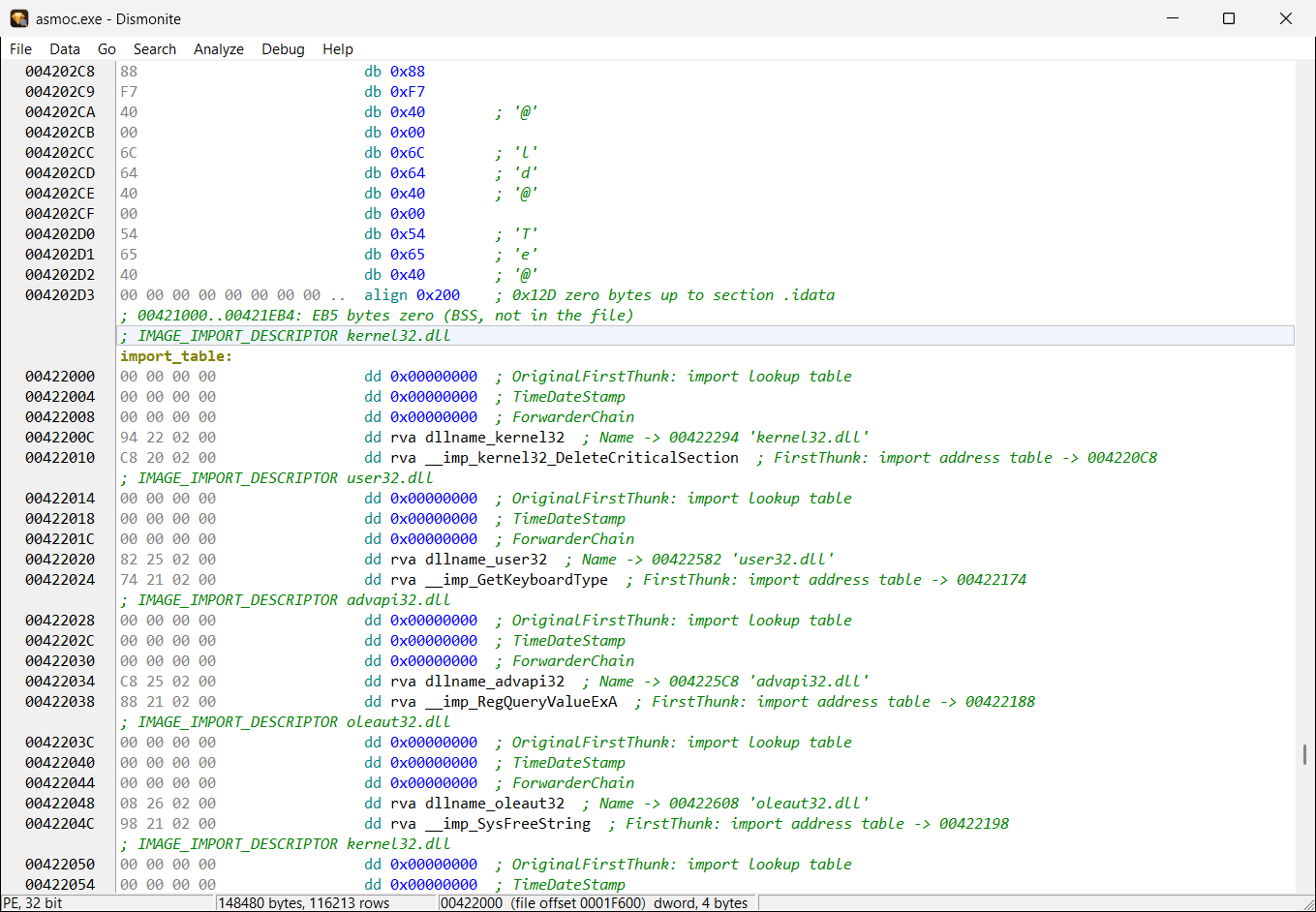
AsmoniteEvery generated EXE is checked before it starts: header, sections, entry point, imports – do the DLLs and functions really exist?
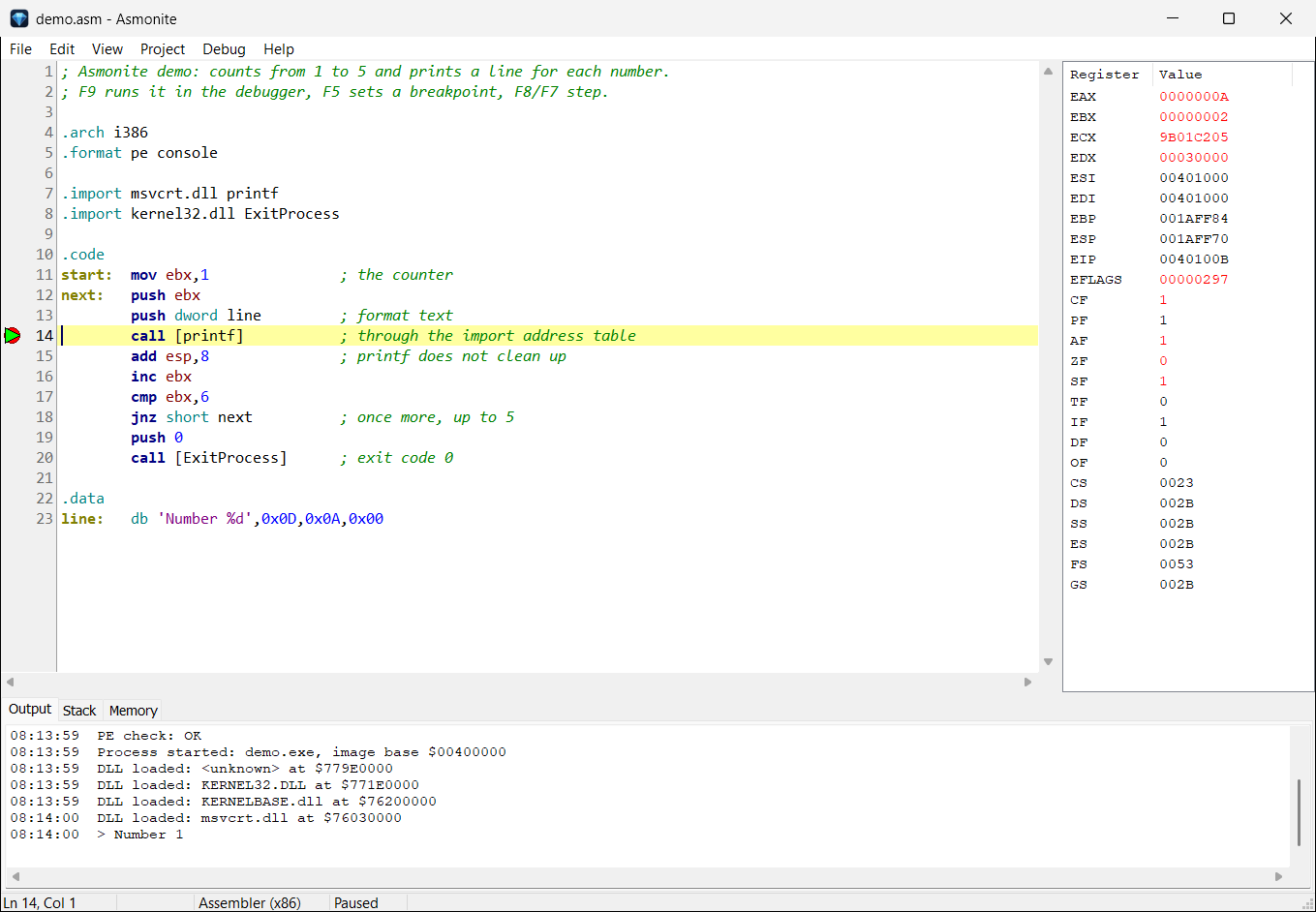
AsmoniteBreakpoints, step over/into, run to cursor, pause – right in the source. Registers, stack and memory; the program's output live.
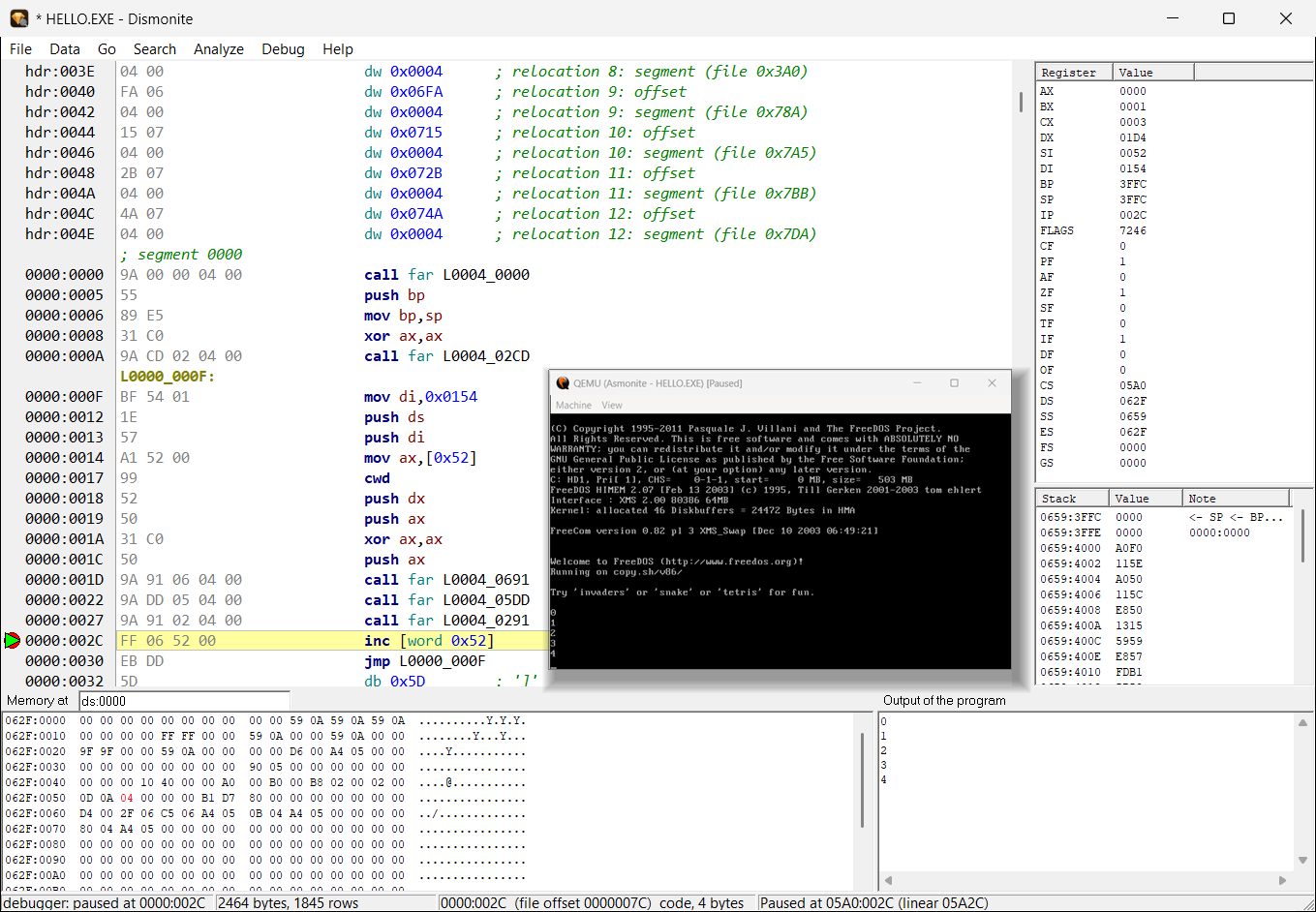
AsmoniteDOS programs run in QEMU with FreeDOS – with the same debug commands. QEMU starts automatically; a second run needs no new boot.
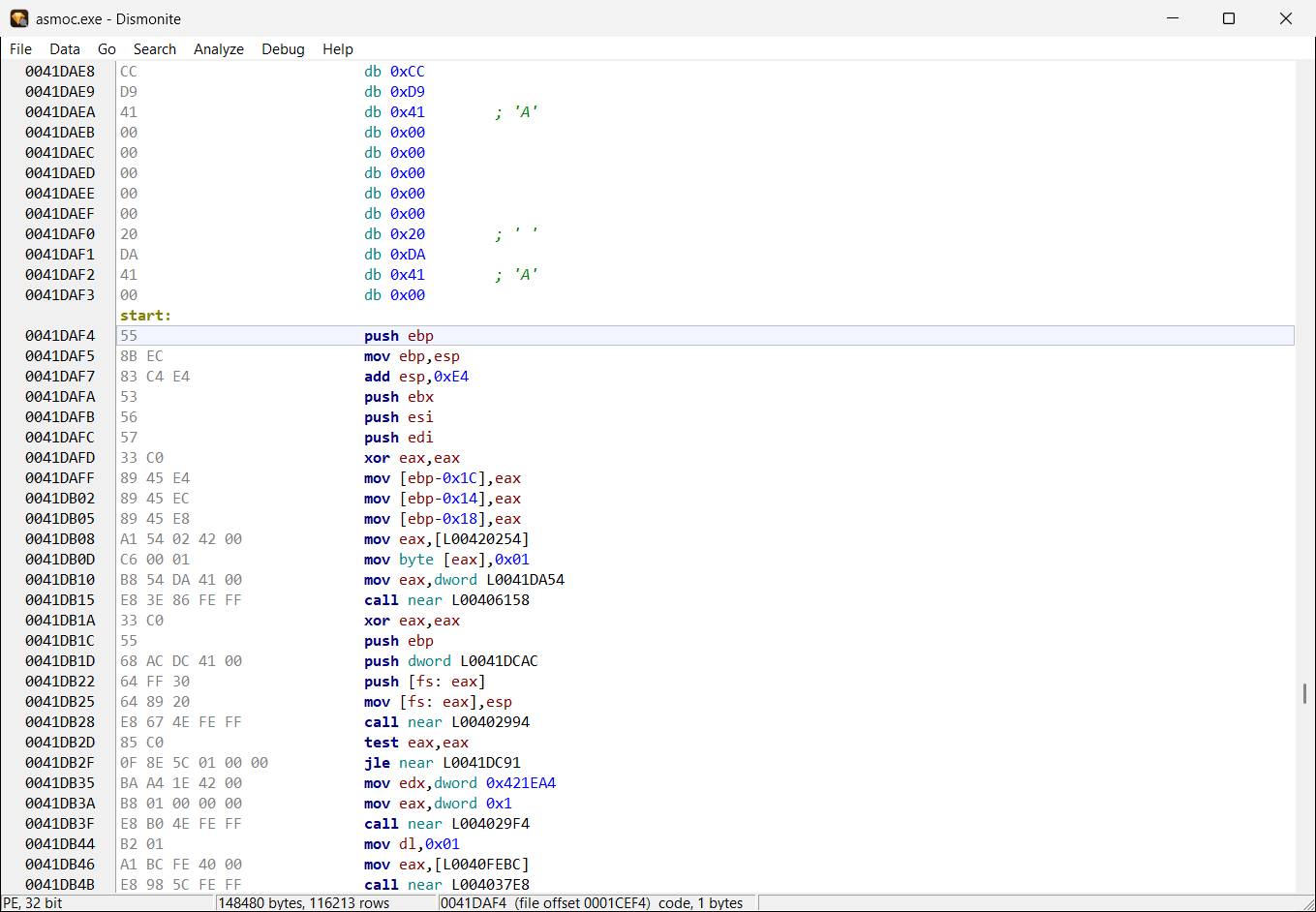
Asmonite · DismoniteAnalyze, comment and export PE, MZ and ELF files as .asm that assembles back into the same file, byte for byte.
32-bit ARM programs run through gdbserver in Raspberry Pi OS under QEMU. A script downloads and sets up the guest; Dismonite starts it on request.
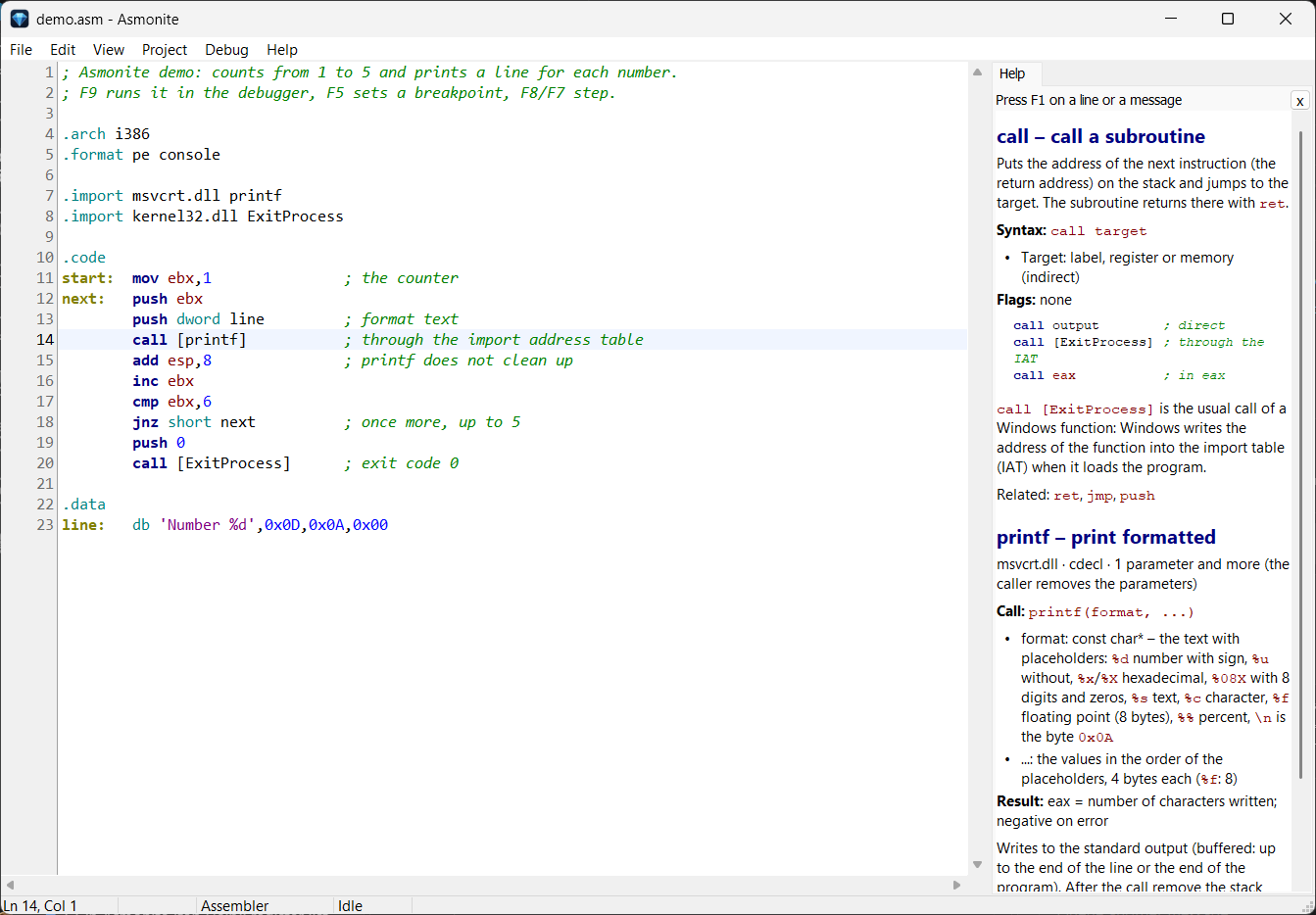
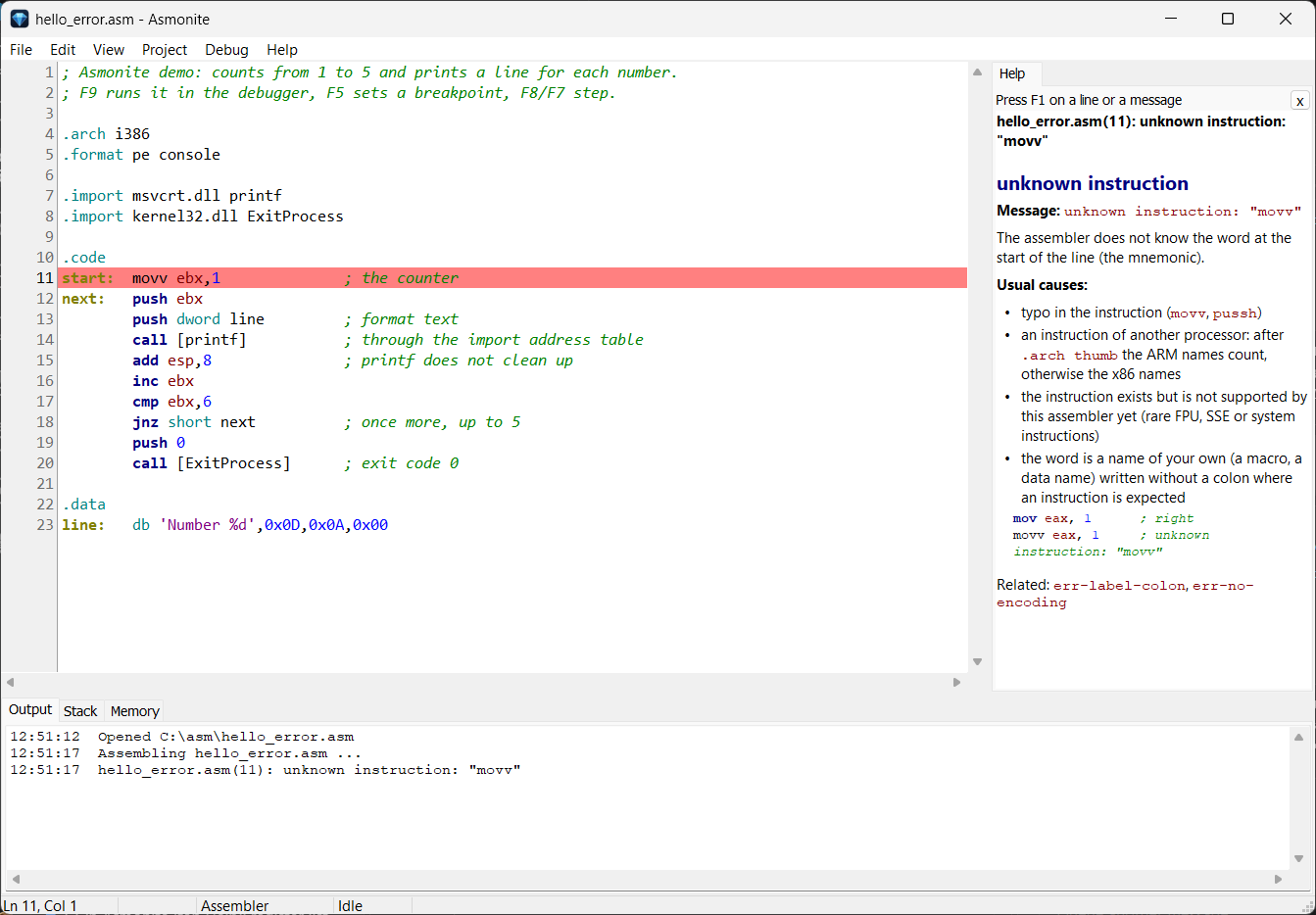
DismoniteOne key press explains the instruction, the imported Windows function (with its parameters), the DOS interrupt, the directive – and error messages too. German and English.
Asmonite · DismoniteAfter .arch thumb Asmonite writes ARM Thumb-2 code; the editor colours it as ARM. Dismonite exports Windows on ARM programs as .asm that assembles back into the same file.
Dismonite runs 32-bit ARM programs on a real Windows on ARM computer and debugs them there: breakpoints, steps, registers. The small server asmodbg runs on the ARM computer.
After .arch x64 or .arch arm64 Asmonite writes 64-bit code; .format pe makes a PE32+ file that Windows (x64) or Windows on ARM64 runs. Every result is read back to check it.
x64 programs run on this computer, ARM64 programs on a Windows on ARM computer (ssh, directly on the network or locally): breakpoints, steps, 64-bit registers, stack and memory – in Asmonite on source lines. Before a jump the row says whether it is taken and where to.
Asmonite · DismoniteDismonite reads the resource directory of PE files: string tables are recognized text by text, with a label and a number; a constant before a call that loads a message shows the text as a hint.
Dismonite| Runs on (host) | Programs you build or examine with it (target) | |
|---|---|---|
| Asmonite | Windows 10/11, 32 or 64 bit | Windows (PE, PE32+) from i386, x64 and ARM64 assembly; DOS programs in QEMU; write ARM Thumb-2 code |
| Dismonite | Windows 10/11, 32 or 64 bit | Windows PE (x86, x64, ARM, ARM64), DOS MZ (16-bit), ARM Linux ELF (32-bit) |
| asmodbg | Windows 10 on ARM (runs where the ARM program runs) | 32-bit ARM programs (PE), controlled by Dismonite over the network or ssh |
| asmodbg64 | Windows on ARM64 (runs where the ARM64 program runs) | ARM64 programs (PE), controlled by Asmonite and Dismonite over ssh or the network |
| asmodbgx64 | 64-bit Windows (helper in the debugserver folder, starts by itself) | x64 programs (PE32+) on this computer or, with --listen, on another 64-bit Windows computer in the network |
| QEMU | 64-bit Windows (only needed for DOS and ARM; the scripts offer to install it) | FreeDOS (720 KB floppy), Raspberry Pi OS Buster (ARM) |
For everyone who wants to understand what the processor really does – from the first mov to someone else's EXE.
asmoc for the command line.asmFrom the ZIP to the first breakpoint – with the example that comes with it.
Asmonite.exe. No installation; File > Open starts in the program's folder.examples\windows_intel\demo.asm. A small program: counts from 1 to 5 and calls printf.call [printf].printf with its parameters – in the help on the right.It works without preparation too: in a new file the single line mov eax, 1 is enough – Ctrl+F9 makes a Windows program of it (without .arch and .format Asmonite assumes 32-bit Windows).
Next: open examples\windows_intel\demo.exe in Dismonite and debug the same file without source with F7.
Asmonite – the editorClean, fast and tailored to assembly.
.arch thumb the editor colours the lines as ARM.format pe generates header and import table, or write every byte yourself
printf through the import table.
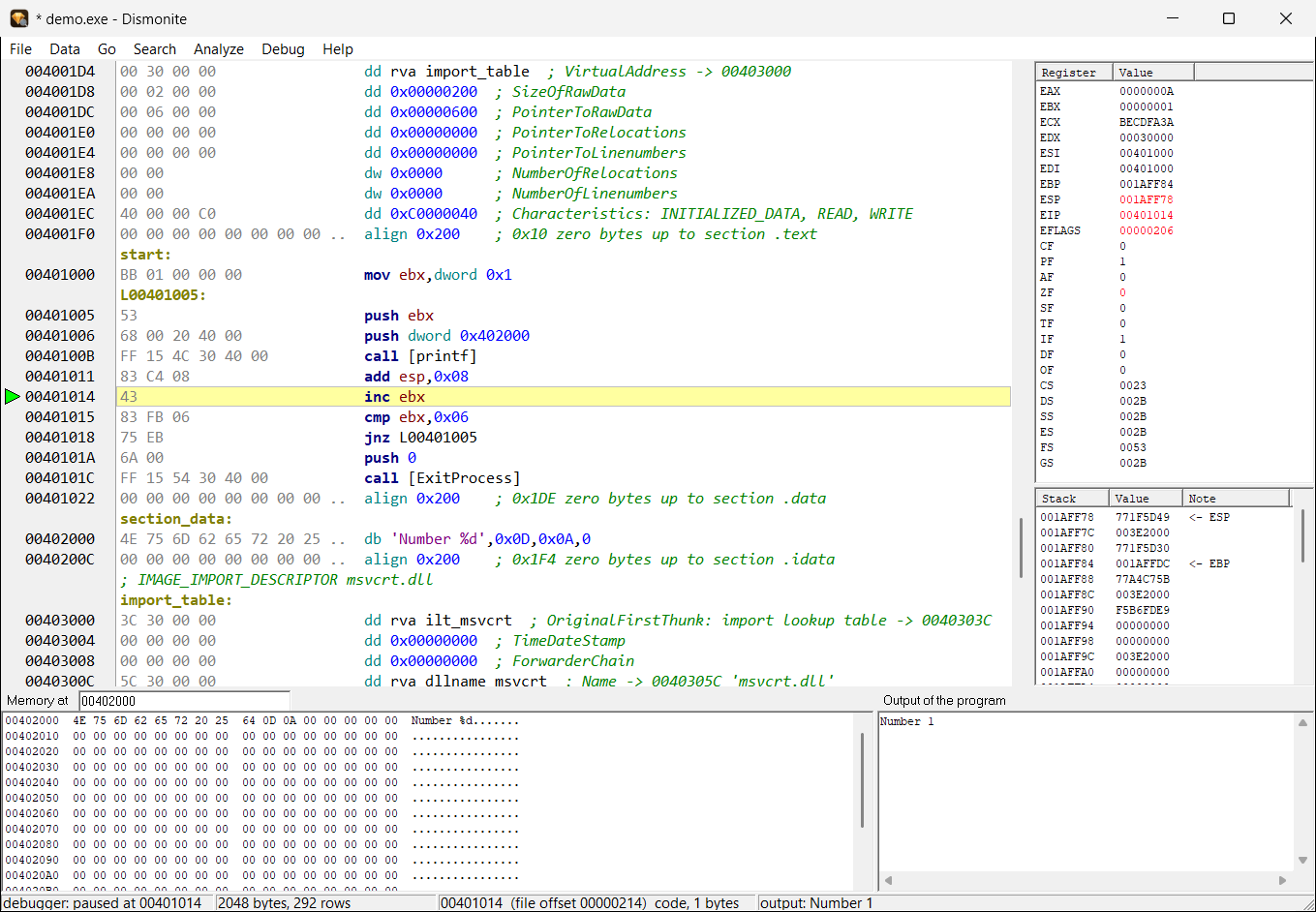
Step through your own program – with registers, stack and memory in view.
esp/ebp/eiphello.com.asm and hello_exe.asm – Hello World as .COM and as .EXE, with an explanation of the difference.arch x64 starts with F9 on this computer, one with .arch arm64 on a Windows on ARM computerrax…r15 or x0…x30 with flags, stack as 64-bit values, memory with 64-bit addressesOne key press explains what the line under the cursor does – no manual, no search engine.
call [ExitProcess] the DLL, the calling convention, every parameter with type and meaning and the result – over 230 functions (kernel32, user32, msvcrt …)int 21h the function, whose number the info finds in the lines before, with input and output registers.arch, .format, .import, section and the other peculiarities of the assembler
call [printf]: on the right the instruction call and the function printf – DLL, calling convention, parameters, result.
Dismonite – disassembler and debuggerUnderstand executables, watch them in the debugger and turn them back into source – for Windows (PE: x86, x64, ARM, ARM64), DOS (MZ) and ARM Linux (ELF).
Dismonite has a page of its own: dismonite.com
str_<number>; in the code a constant before a call that loads a message shows the text as a hint<program>.dmon next to the program.asm with labels, which the Asmonite assembler turns into the same file again
start, jump targets and addresses as labels.
align line.
Starts the program directly on Windows. Breakpoints, step over/into, run to cursor, pause; the program's console appears in the output view.
Starts QEMU with FreeDOS by itself; 16-bit registers, addresses as segment:offset. A second run starts in the running QEMU.
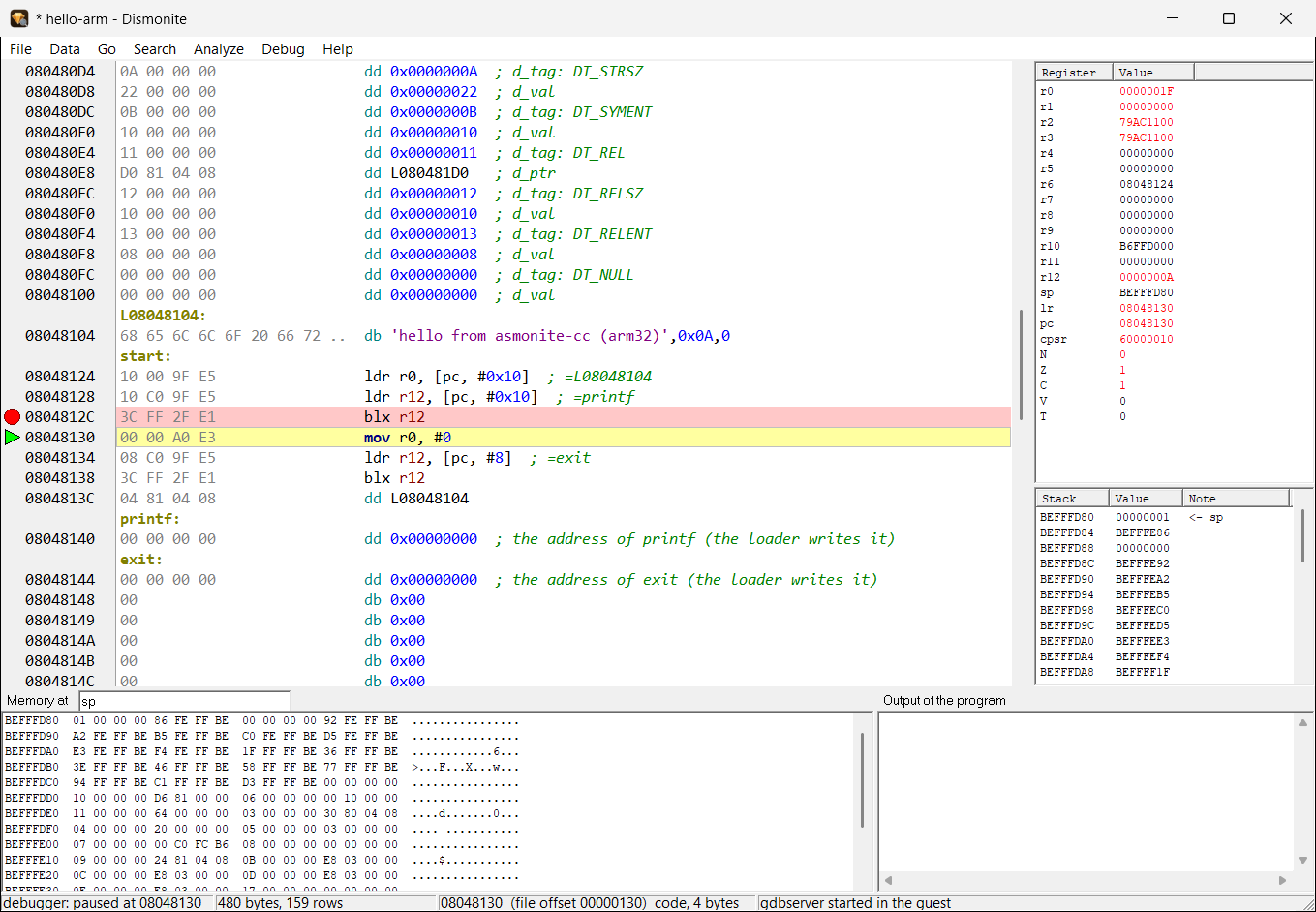
Copies the program into the Raspberry Pi guest over ssh and debugs it through gdbserver. If no guest runs, Dismonite asks and starts it.
Copies the 32-bit ARM program to a real Windows on ARM computer and debugs it there through the small server asmodbg – either over ssh or directly on the network with a pairing code. “Search LAN” finds running servers on the local network.
Starts the 64-bit program on this computer; the small helper asmodbgx64 runs as a child process. Registers rax…r15, stack and memory with 64-bit addresses.
Debugs on a Windows on ARM computer through the server asmodbg64 – ssh, directly on the network or locally if Dismonite itself runs there. Registers x0…x30, sp, pc, flags.
.dmon
demo.exe in the debugger without source – stopped after the first printf: registers and stack on the right, below the memory of the data section and the output “Number 1”.
hello-arm in the Raspberry Pi guest, after a step over printf – ARM registers, the stack from sp and the memory there.
There are good tools for every single task. Asmonite brings them together for everyday assembly work – one way to operate them and no installation.
| Task | Asmonite + Dismonite | Usual tool chain |
|---|---|---|
| Write source | ✓ editor with highlighting | text editor |
| Assemble | ✓ built in, plus asmoc | separate program (e.g. NASM) and linker |
| Debug Windows programs | ✓ on source lines and without source | separate debugger (e.g. x64dbg) |
| Debug DOS programs | ✓ QEMU + FreeDOS, starts by itself | emulator with its own debugger, set up by hand |
| Debug ARM Linux programs | ✓ the guest is set up by a script | QEMU, gdbserver and gdb by hand |
| Debug Windows on ARM programs | ✓ server asmodbg on the ARM computer, controlled from Dismonite | set up a remote debugger and a development environment on the ARM computer |
| x64 and ARM64 programs | ✓ assembler, disassembler with export and debugger | separate tools per architecture |
| Look instructions up | ✓ F1 on the line: instruction, Windows function, interrupt, error message | manual or search engine in another window |
| Disassemble | ✓ export that gives the same file again | disassembler; the export usually needs rework |
| Installation | ✓ none – one ZIP, under 2 MB | several programs |
The most important commands at a glance. The debug keys are the same in both programs.
| Key | Asmonite and Dismonite |
|---|---|
| F1 | Instruction info: instruction, function, interrupt, directive, error message |
| F5 | Toggle breakpoint |
| F9 | Start / continue |
| F8 / F7 | Step over / step into |
| F4 | Run to cursor |
| Strg+F2 | End the debug session |
| Strg+F9 | Assemble (Asmonite only) |
| Strg+F · F3 | Find · find next |
| Strg+H | Replace (Asmonite) |
| Strg+G | Go to line (Asmonite) / address (Dismonite) |
| Strg+Z / Strg+Y | Undo / redo (Asmonite) |
| Key | Dismonite |
|---|---|
| C | mark as code |
| B W D Q | byte, word, dword, qword |
| A / U | ASCII / UTF-16 text |
| ; / Enter | Comment / comment line before |
| N | Rename label |
| Strg+R | References to this place |
| Strg+F3 | Next string |
| Alt+← / Alt+→ | Back / forward |
One ZIP archive – unpack and start, no installation.
Asmonite (editor, assembler, debugger), Dismonite (disassembler and debugger), asmoc (assembler on the command line), the QEMU scripts for FreeDOS and Raspberry Pi OS, the debug servers asmodbg, asmodbg64 and asmodbgx64 (Windows on ARM, ARM64, x64), the instruction info (German and English) and examples for Windows (x86, x64), DOS and ARM (Thumb-2, ARM64).
Asmonite.ini next to the EXE, Dismonite its marks in <program>.dmon next to the examined program.127.0.0.1. To debug on Windows on ARM it connects only to the computer you name; “Search LAN” asks the local network once by UDP for that.certutil -hashfile Asmonite-0.7.6.zip SHA256 – it must match the value above.